

What Should Buyers Check Before Choosing A PTZ Joystick For Professional Camera Control
2026-04-05 20:35In professional camera control, a PTZ joystick is not just a peripheral. It is the operator’s main interface for framing, switching, preset recall, and live correction. That is why serious buyers should compare a PTZ joystick by workflow fit, protocol compatibility, camera capacity, control feel, and long-term usability rather than by price alone. Official product pages across this category consistently highlight support for serial and IP control, protocol switching, preset operation, preview monitoring, and multi-camera workflows as core buying factors.
A joystick that looks acceptable on a spec sheet can still create real problems if it does not match the cameras already installed, cannot handle the required number of cameras, or slows down operators during live use. In real production, houses of worship, education, broadcast, livestreaming, and ProAV teams often need fast switching, repeatable preset moves, and precise pan-tilt-zoom control without unnecessary complexity.
Check Protocol Compatibility And Camera Integration First
The first thing buyers should confirm is whether the PTZ joystick truly matches the control protocols used by the target cameras. This matters because many installations combine older serial-based cameras with newer IP-based models. PTZOptics positions its PT-JOY-G4 as compatible with most PTZ cameras using serial or IP protocol and notes that users can switch between protocols with the touch of a button. Marshall’s VS-PTC-300 also emphasizes cross-protocol mix-control with support for VISCA, PELCO D/P, ONVIF, NDI, and VISCA over IP.
This is not a small detail. A joystick may be physically well designed but still become a poor purchase if it forces the team into workarounds or limits interoperability. PTZOptics’ SuperJoy lists support for VISCA over IP, serial control, NDI, and broad camera compatibility, while Lumens highlights NDI camera discovery together with VISCA support. For buyers, that means the safer purchase is usually the one that fits the current camera environment and leaves room for future upgrades.
Buyers should therefore check three things before anything else: what control protocols the cameras already use, whether the joystick can work across mixed systems, and whether setup will remain manageable as the installation grows. A joystick that supports the wrong protocol can stop being “professional” the moment it enters a real control room.
Evaluate Multi-Camera Workflow, Presets, And Preview Efficiency
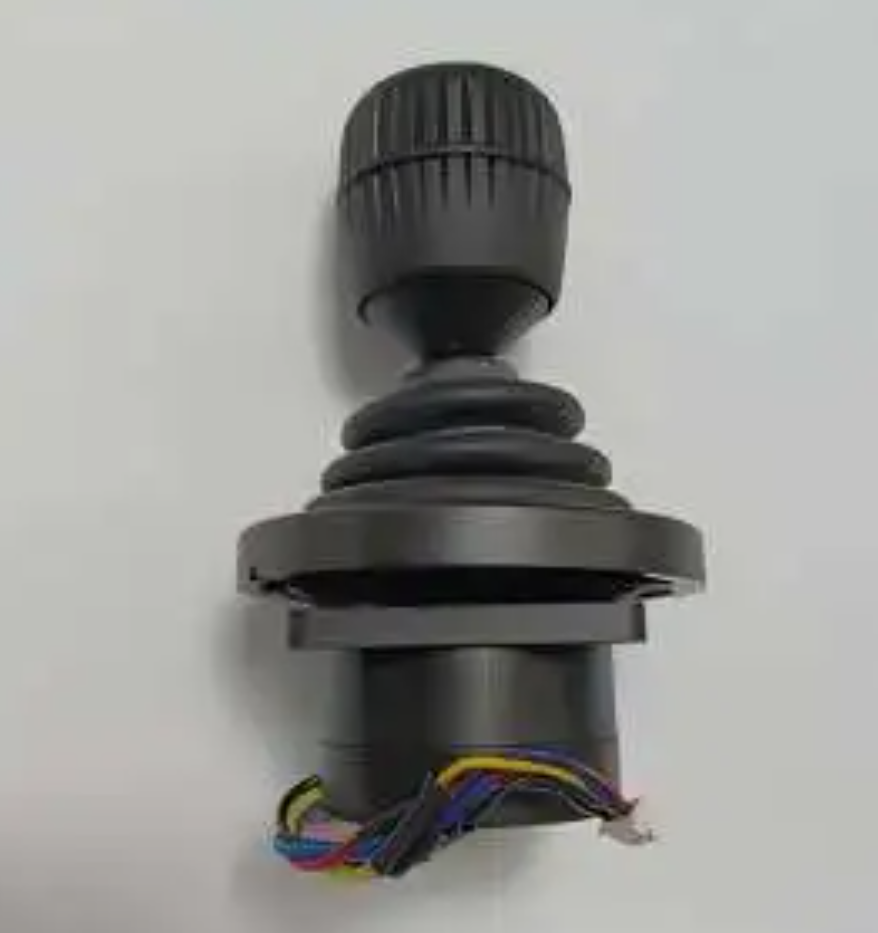
A professional PTZ joystick should not only move one camera well. It should help operators manage multiple cameras quickly and reliably. Official product pages show big differences here. PTZOptics lists up to 255 cameras over network on its controller range, Marshall states up to 255 cameras via NDI/IP and dedicated camera buttons, and Datavideo highlights multi-camera workflows with joystick control and preset memory in live production environments.
Preset handling is equally important. PTZOptics explains that joystick controllers are used both for manual operation and automated preset calls, and that preset movement speed can be tied to the joystick’s preset speed settings. Marshall states that its controller can save up to 256 camera presets with memory of image setting parameters. These features matter because, in professional use, operators are not just moving cameras manually. They are recalling repeatable shots at the right speed and with predictable framing.
Preview capability can also have a major impact on real workflow. Lumens says its 3-inch low-latency preview screen can monitor up to 255 IP streams and switch to full-screen video preview for precise framing. Marshall also lists RTSP and NDI preview on a 3-inch LCD. For buyers, this means a joystick with built-in preview can reduce guesswork, accelerate camera selection, and make live operation more efficient.
Compare Control Feel, Dedicated Functions, And Long-Term Usability
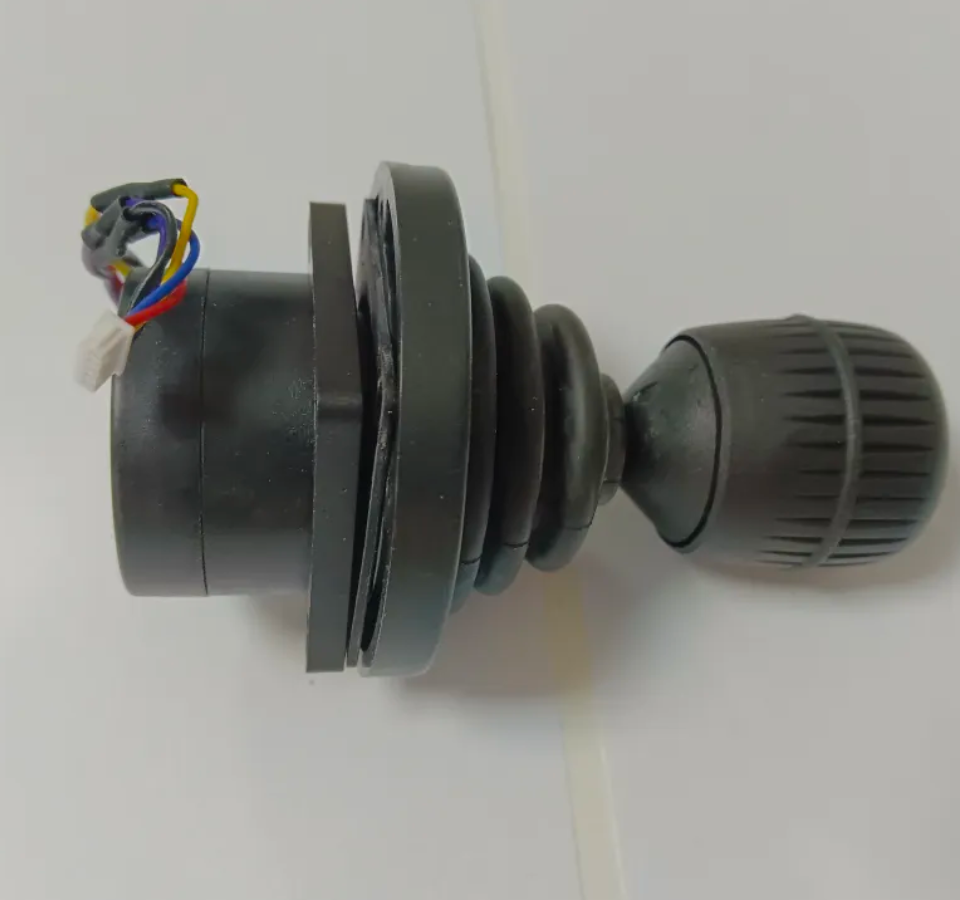
Once protocol and workflow fit are confirmed, buyers should compare how the joystick actually performs in the operator’s hands. Marshall describes its VS-PTC-300 as offering precision adjustments through tactile feel and a high-quality joystick, while also including a dedicated zoom rocker and direct controls for exposure, white balance, focus, pan/tilt speed, and zoom speed. Skaarhoj’s PTZ Pro highlights fully customizable buttons and encoders, a dedicated preset section, and an optional Hall Effect joystick for ultra-smooth pan, tilt, and zoom control.
These details matter because professional camera control is often repetitive and time-sensitive. A joystick may technically support the right cameras, but if key functions are buried in menus or the control feel is inconsistent, live operation will suffer. Datavideo’s workflow article describes hybrid control where operators can intervene manually and switch between automated and manual camera operation when needed, which shows how important fast physical control remains even in more advanced workflows.
Buyers should also pay attention to setup simplicity and long-term convenience. PTZOptics promotes legacy-friendly integration and wide system compatibility, while Skaarhoj highlights plug-and-play functionality and PoE for easier deployment. In practice, the best PTZ joystick is not just the one with the most buttons. It is the one that lets operators react quickly, switch cameras confidently, call presets reliably, and maintain consistent performance over time.
Once protocol and workflow fit are confirmed, buyers should compare how the joystick actually performs in the operator’s hands. Marshall describes its VS-PTC-300 as offering precision adjustments through tactile feel and a high-quality joystick, while also including a dedicated zoom rocker and direct controls for exposure, white balance, focus, pan/tilt speed, and zoom speed. Skaarhoj’s PTZ Pro highlights fully customizable buttons and encoders, a dedicated preset section, and an optional Hall Effect joystick for ultra-smooth pan, tilt, and zoom control.
These details matter because professional camera control is often repetitive and time-sensitive. A joystick may technically support the right cameras, but if key functions are buried in menus or the control feel is inconsistent, live operation will suffer. Datavideo’s workflow article describes hybrid control where operators can intervene manually and switch between automated and manual camera operation when needed, which shows how important fast physical control remains even in more advanced workflows.
Buyers should also pay attention to setup simplicity and long-term convenience. PTZOptics promotes legacy-friendly integration and wide system compatibility, while Skaarhoj highlights plug-and-play functionality and PoE for easier deployment. In practice, the best PTZ joystick is not just the one with the most buttons. It is the one that lets operators react quickly, switch cameras confidently, call presets reliably, and maintain consistent performance over time.